
In today’s data-driven world, marketing dashboards are invaluable tools for tracking performance and gaining insights into your campaigns. However, simply having a marketing dashboard isn’t enough; it’s about how you utilize it to drive results. Are you accessing the right data? Are you interpreting it correctly to inform your strategies?
There’s a fine line between a dashboard that merely displays metrics and one that provides actionable insights. The key to maximizing your marketing dashboards lies in understanding what data is most relevant to your goals and how to visualize it effectively. With the right approach, you can uncover trends, measure ROI, and make informed decisions that elevate your marketing efforts.
In this guide, we’ll share top tips to help you leverage your marketing dashboards to their fullest potential. From customizing visualizations to setting up automated reports, we’ll explore practical strategies to transform your data into a driving force for your marketing success. Get ready to take your analytics game to the next level! Read more Key content marketing metrics to track
⚠️ Why marketing dashboards are important for yur business? ⚠️
Marketing dashboards are invaluable tools that consolidate data from various sources, enabling teams to perform quick analyses of key performance metrics and KPIs. By bringing together diverse data streams into one cohesive visual interface, dashboards facilitate data-driven decision-making, allowing marketers to assess performance effectively and identify successful strategies.
With marketing dashboards, teams can easily track performance metrics in real-time, identifying trends and anomalies that may require immediate attention. This holistic view of data not only saves resources by streamlining reporting processes but also empowers teams to pivot quickly in response to shifting market dynamics. As a result, marketing professionals can allocate budget and resources more efficiently, ensuring that successful initiatives are amplified while underperforming strategies are adapted or discontinued.
In essence, marketing dashboards are essential for fostering a culture of data-driven decision-making. They provide clarity and focus, enabling teams to make informed choices that drive marketing performance and enhance overall business success.
🌟 Must-Have Features in a Digital Marketing Dashboard 🌟
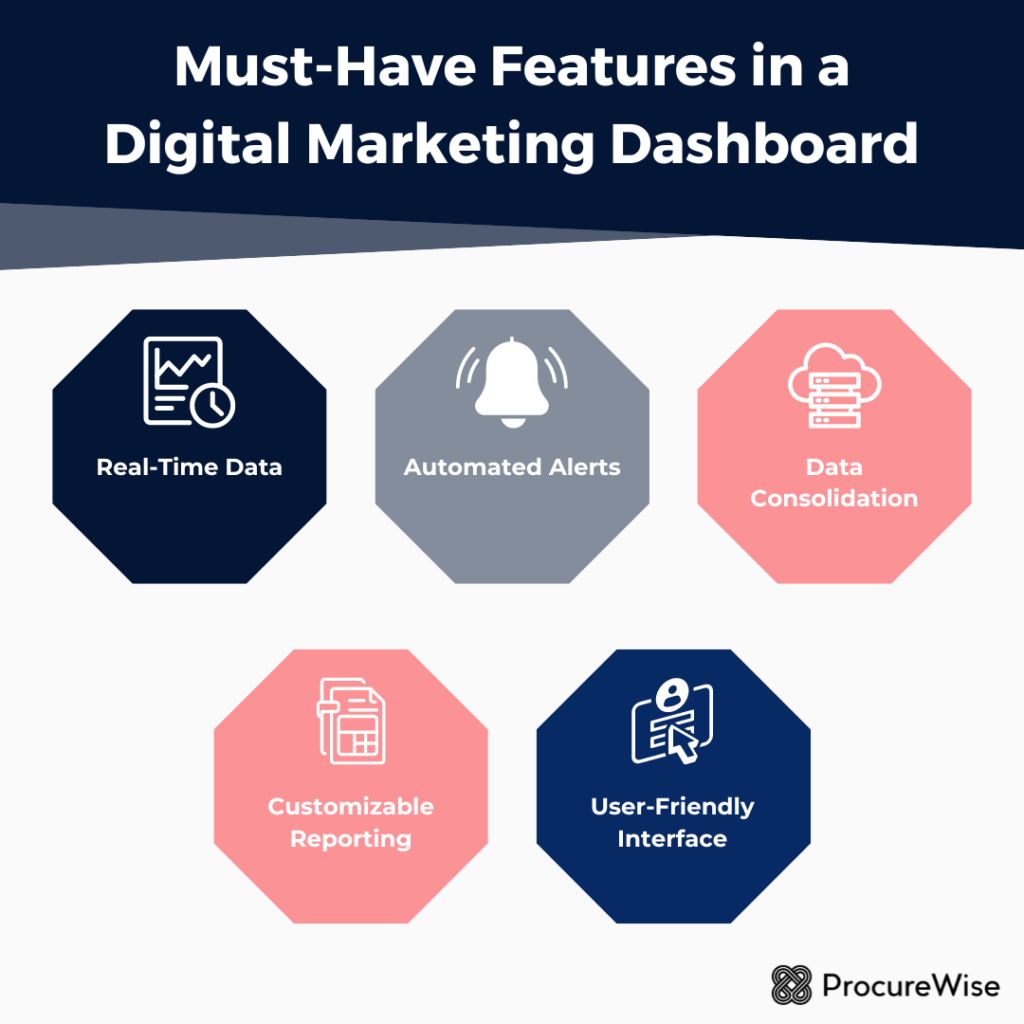
A digital marketing dashboard is essential for any marketing team aiming to simplify complex data and enhance decision-making. Among the must-have features are:
➡️ Real-Time Data: This feature allows teams to monitor performance metrics as they happen, enabling quick adjustments to campaigns and fostering a proactive marketing strategy.
➡️ Automated Alerts: Setting up alerts for key performance indicators (KPIs) helps teams stay informed about significant changes or anomalies in data, ensuring that swift action can be taken when necessary.
➡️ Data Consolidation: The ability to consolidate various data sources—from social media analytics to email marketing performance—provides a holistic view of marketing efforts, allowing for better strategic planning and execution.
➡️ Customizable Reporting: Flexible reporting options enable teams to focus on the metrics that matter most to their objectives, facilitating tailored insights for different stakeholders.
➡️ User-Friendly Interface: An intuitive design is crucial for quick access to insights, ensuring team members can easily navigate complex data without specialized training.
These features are vital for efficiently managing growing advertising budgets. By leveraging marketing analytics and making data-driven decisions, companies can optimize their spending and maximize ROI in an increasingly competitive landscape.
⛔ Why do marketing dashboards fail? ⛔
Marketing dashboards often fail due to several key factors that undermine their effectiveness.
❌ One primary issue is the reliance on outdated data, which deprives marketing teams of the real-time insights necessary for informed decision-making. Without access to the most current information, teams struggle to respond swiftly to market changes and customer needs.
❌ Another critical factor is the lack of flexibility in pre-built dashboards. Many dashboards are rigid and cannot be easily customized to meet the unique needs of marketing teams, limiting their ability to derive actionable insights. Additionally, limited access for marketing teams can hinder collaboration and prevent vital information from being shared effectively.
❌ The complexity of coding requirements also poses significant challenges. Many marketing teams lack the technical expertise needed to navigate these coding challenges, resulting in slow deployment of analytics projects. In a fast-paced marketing environment, the inability to swiftly implement changes can lead to missed opportunities and decreased trust in the dashboard’s effectiveness. Ultimately, without real-time insights and user-friendly interfaces, marketing dashboards struggle to deliver the actionable insights that teams need to thrive.
🏆 Top tips with marketing dashboards 🏆
Creating effective marketing dashboards is crucial for tracking performance and making informed decisions. To achieve this, it’s important to start by defining clear objectives. Begin by identifying what you want to accomplish with the dashboard—whether it’s tracking campaign performance, ROI, customer engagement, or lead generation. From there, choose key performance indicators (KPIs) that align with these objectives, such as conversion rates, customer acquisition costs, and lifetime value.
🏅 Simplicity is key when designing a marketing dashboard. To avoid overwhelming users, focus on the most important metrics and aim for a layout that enhances usability. Incorporating visual elements like charts and graphs can make the data easier to interpret and more engaging.
🏅 Understanding your audience is another vital aspect. Different stakeholders, such as executives, marketing teams, or sales departments, have different needs. Customize the dashboard for each group, providing role-specific views or tabs that highlight the most relevant metrics for each user. This ensures that everyone has access to the information that matters most to them.
🏅 Real-time data is essential for keeping your dashboard relevant and useful. Integrate various marketing tools, such as CMS, CRM, and social media platforms, to pull in real-time data. Additionally, ensure that the dashboard updates frequently to reflect the latest information and trends, keeping your team informed and agile.
🏅 Consistency in design is also important for creating a user-friendly dashboard. Standardize the layout with consistent colors, fonts, and design elements to enhance readability. Group related KPIs logically to provide context and make it easier for users to understand the data.
🏅 Providing context is another best practice to consider. Include annotations to explain significant changes in performance and offer comparative data, such as historical data and benchmarks, to give users a deeper understanding of current metrics and trends over time.
🏅 Interactivity is a valuable feature in a marketing dashboard. Incorporate drill-down capabilities that allow users to click on metrics for more detailed analysis. Filters and segmentation options can also enable users to slice data by demographics, time periods, or channels, offering deeper insights and more tailored views.
🏅 Given the increasing use of mobile devices, it’s essential to prioritize mobile accessibility. Ensure that dashboards are mobile-friendly, with responsive layouts that adjust based on the device being used. This allows stakeholders to view performance data on-the-go, maintaining productivity and oversight.
🏅 Regularly reviewing and updating the dashboard is crucial for long-term success. Create a feedback loop with users to continuously improve the design and content. Be flexible and open to adjusting KPIs and metrics as business goals and strategies evolve.
🏅 Training and support are also important components of an effective dashboard strategy. Provide training sessions or resources to help users understand how to interpret the data and use the dashboard efficiently. Ensure there is access to support if users encounter any issues.
🏅 Finally, prioritize security and compliance. Ensure that any sensitive data displayed on the dashboard complies with relevant regulations, such as GDPR or CCPA. Set appropriate user permissions to control who can access or edit the dashboard data, safeguarding your organization’s information.
Marketing dashboards are powerful tools that enable teams to visualize data, track performance, and make data-driven decisions. By following these best practices, you can create dashboards that effectively drive insights and enhance your marketing efforts.

📚 Examples of Marketing Dashboards 📚
Marketing dashboards play a crucial role in providing a comprehensive view of various marketing efforts, helping teams measure performance and make informed decisions.
👉 Digital Marketing Dashboard is essential for tracking overall performance, combining metrics like website traffic, conversion rates, and return on investment (ROI). It allows marketers to assess the effectiveness of their campaigns across multiple channels.
👉 The Social Media Dashboard focuses specifically on social media metrics, including engagement rates, follower growth, and click-through rates. This dashboard helps businesses understand their audience’s behavior and optimize social media strategies.
👉 For email campaigns, the Email Marketing Dashboard provides valuable insights into open rates, click rates, and unsubscribe rates. This data is vital for refining email content and improving overall campaign effectiveness.
👉 An SEO Dashboard aids in tracking organic search performance, featuring metrics such as keyword rankings, organic traffic, and backlinks. This dashboard is critical for businesses aiming to enhance their visibility on search engines.
👉 Lastly, the Performance Marketing Dashboard centers on paid advertising results, enabling teams to monitor cost-per-click, conversion rates, and ROI. This helps in assessing the effectiveness of paid campaigns and optimizing ad spend.
Utilizing these dashboards enhances marketing strategies, ensuring that key performance indicators (KPIs) are regularly reviewed and acted upon.