
In today’s fast-paced business environment, executives are constantly looking for ways to gain insights quickly and make informed decisions. This is where executive dashboards come into play. An executive dashboard condenses complex data into an intuitive visual format, allowing leaders to monitor key performance indicators (KPIs) and manage their organizations effectively in real time.
Imagine having a comprehensive view of your business performance at your fingertips, providing clarity on what’s working and what isn’t—all in one dynamic display. Whether you’re tracking sales metrics, marketing performance, or financial health, executive dashboards enable you to focus on critical areas that require your attention.
However, many organizations remain unaware of the transformative benefits that these dashboards offer. By leveraging the power of visual data representation, businesses can enhance their strategic decision-making and operational efficiency. In this article, we will explore the key benefits of executive dashboards, including improved data accessibility, enhanced collaboration among teams, and the agility to respond to market changes swiftly. Get ready to discover how adopting executive dashboards can revolutionize the way you lead and drive your business forward. Read more Custom vs. Off-the-Shelf Dashboards: Which Solution is Right for Your Business?
❓What are executive dashboards❓
Executive dashboards are powerful tools designed to aid senior decision-makers in monitoring performance and deriving data-driven insights. By consolidating key metrics and KPIs into a visually appealing interface, these dashboards allow executives to effortlessly track trends and engage in informed decision-making.
The role of executive dashboards extends beyond mere data presentation; they simplify complex information, transforming it into intuitive visualizations. This enhances performance monitoring, enabling leaders to quickly grasp the organization’s status and identify areas for improvement. By highlighting critical data points, executive dashboards empower executives to make strategic decisions based on real-time information rather than intuition.
In essence, these dashboards serve as an essential resource for senior management, facilitating effective performance management and fostering a culture of informed decision-making. With the ability to visualize and analyze data effectively, executives can respond proactively to market changes and drive business success.
📚 The 4 types of executive dashboards 📚
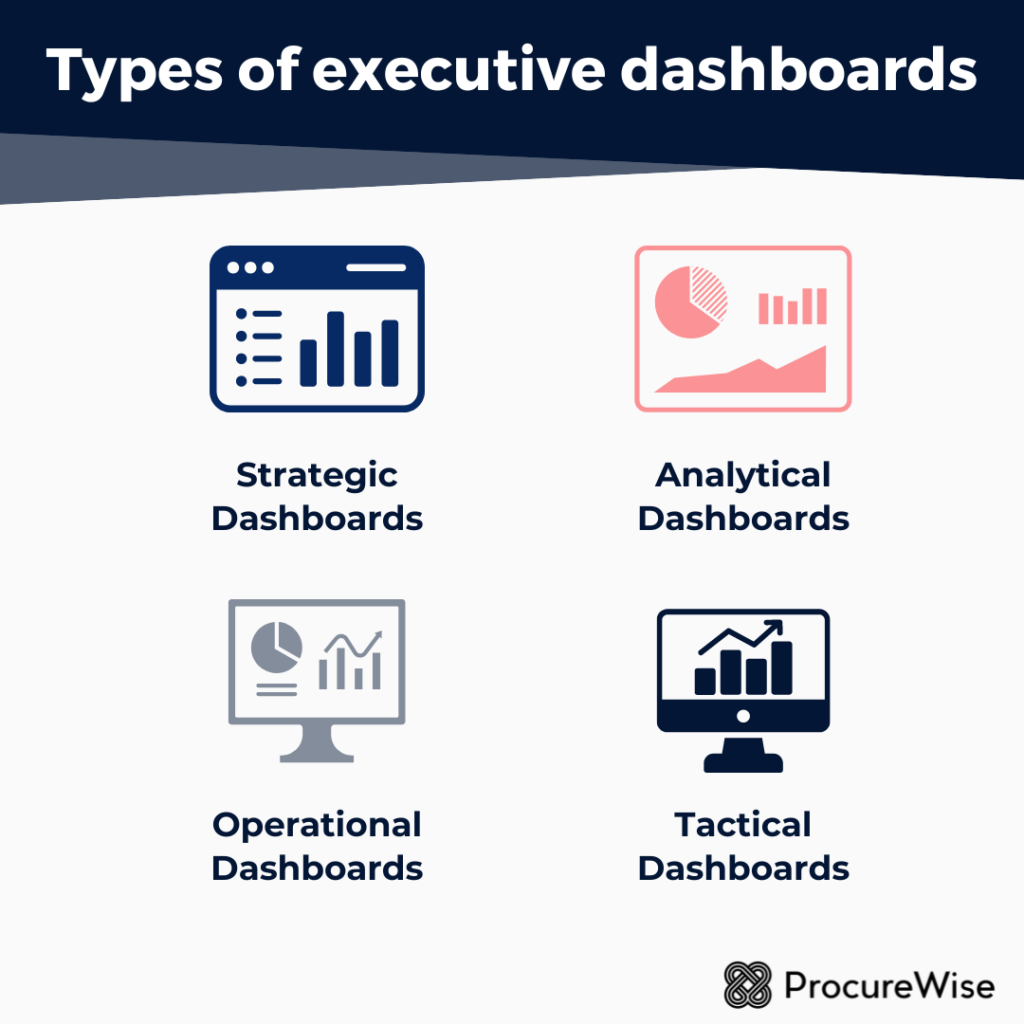
Executive dashboards serve as vital tools for leaders, providing insights that drive decision-making and strategic planning. There are four primary types of executive dashboards: Strategic, Analytical, Operational, and Tactical.
1️⃣ Strategic Dashboards focus on long-term goals and overall organizational performance. They display high-level metrics that align with the company’s mission, vision, and strategic objectives.
2️⃣ Analytical Dashboards are designed for in-depth analysis. They present complex data sets, enabling users to identify trends, uncover insights, and explore data correlations, supporting data-driven decision-making.
3️⃣ Operational Dashboards offer real-time data on day-to-day activities. They track key performance indicators (KPIs) related to operations, helping managers monitor processes and ensure efficiency.
4️⃣ Tactical Dashboards bridge the gap between strategic and operational views. They provide information that informs short-term actions and decisions, often focusing on specific projects or departmental performance.
While each type has its distinct focus and intended use, many executive dashboards integrate elements from multiple categories to effectively address specific managerial needs. This flexibility ensures that executives have the right information at their fingertips to navigate their organizations successfully.
✅ Benefits of executive dashboards ✅
Executive dashboards provide a high-level view of an organization’s performance, helping leaders make informed decisions quickly and effectively. Here are some key benefits of using executive dashboards:
✔️ Real-Time Data Visualization: Executive dashboards display data in real time, allowing leaders to monitor critical metrics and performance indicators as they change. This helps in identifying trends and making timely interventions.
✔️ Enhanced Decision-Making: By presenting complex data in a visually digestible format, executive dashboards enable executives to grasp insights quickly, facilitating faster and more informed decision-making.
✔️ Strategic Alignment: Dashboards can be designed to align with the organization’s strategic goals, showing how various departments and projects contribute to overall objectives. This alignment helps in focusing resources effectively.
✔️ Performance Monitoring: Dashboards allow executives to track KPIs (Key Performance Indicators) and other relevant metrics, making it easier to assess organizational performance and progress towards goals.
✔️ Improved Communication: These dashboards serve as a common reference point for discussions, helping to ensure that all stakeholders are on the same page regarding performance and strategic direction.
✔️ Customization and Flexibility: Executive dashboards can be tailored to the specific needs of different leaders or teams, allowing them to focus on metrics that are most relevant to their roles.
✔️ Data-Driven Culture: By using executive dashboards, organizations promote a culture of data-driven decision-making. Executives are encouraged to rely on objective data rather than intuition alone.
✔️ Identifying Issues and Opportunities: Dashboards highlight outliers, trends, and performance gaps, enabling executives to spot potential issues early and adapt strategies to capitalize on emerging opportunities.
✔️ Increased Accountability: By clearly visualizing performance metrics, executive dashboards help in holding teams accountable for their performance, fostering a greater sense of responsibility across the organization.
✔️ Simplified Reporting: Executive dashboards streamline the reporting process, reducing the need for lengthy reports and presentations. Decision-makers can access vital information at a glance.
✔️ Enhanced Collaboration: When teams can access shared dashboards, it fosters a collaborative environment where different departments can work together towards common goals based on transparent data.
✔️ Risk Management: Real-time monitoring of key metrics can identify potential risks more quickly, allowing organizations to mitigate them before they escalate.
In summary, executive dashboards are powerful tools that provide crucial insights and support strategic decision-making, thereby enhancing the overall efficiency and effectiveness of an organization.
📋 How to select the best executive dashboard solution? 📋
Selecting the best executive dashboard solution for your business involves several critical steps to ensure it effectively meets your organization’s unique needs.
✏️ Start by determining your specific business needs; identify the key metrics and data points that will drive decision-making.
✏️ Next, pinpoint essential features that align with those needs. Consider factors like real-time data updates, customization options, and compatibility with existing systems.
✏️ Once you have a clear understanding of your requirements, evaluate various options on the market. Look for solutions that prioritize user experience, as an intuitive interface will enhance data engagement and facilitate quicker insights.
✏️ Additionally, conduct a cost analysis to ensure that the chosen solution offers good value relative to its features and benefits.
✏️ Remember, aligning the dashboard’s purpose with your organization’s specific goals is paramount for effective decision-making. By focusing on business needs, essential features, user experience, and cost-effectiveness, you can select an executive dashboard that enhances data visualization and drives strategic insights, ultimately supporting your business objectives.
🌟 How to create an effective executive dashboard? 🌟
Creating an effective executive dashboard involves strategic planning, clear design principles, and a deep understanding of the end users’ needs. Here’s a concise guide to help you through the process:
1. Define Objectives and Purpose
- Identify Key Metrics: Focus on primary KPIs that align with your organization’s strategic goals, providing insights into performance and trends.
- Understand User Needs: Engage with executives to determine what information they need and how they will use the dashboard for decision-making.
2. Know Your Audience
- Tailor Content: Customize the dashboard for different executives, focusing on high-level data summaries while offering drill-down options for details.
- Keep It High-Level: Present summary data that offers a strategic overview, avoiding unnecessary complexity.
3. Choose the Right Tools and Technology
- Select Dashboard Software: Choose user-friendly tools like Tableau, Power BI, or Google Data Studio that fit your organization’s needs.
- Ensure Compatibility: Make sure the tool integrates smoothly with existing systems for seamless data retrieval.
4. Design with Clarity
- Use Appropriate Visualizations: Select clear visualizations (charts, graphs) that effectively represent data.
- Consistent Layout: Maintain a consistent layout that groups related information, ensuring intuitive navigation.
- Color and Font Choice: Use a brand-aligned color scheme and legible fonts for visual appeal and clarity.
5. Implement Real-Time Data
- Automate Data Updates: Use real-time data feeds to keep the dashboard updated with the latest metrics.
- Ensure Data Accuracy: Regularly audit data sources to maintain accuracy and reliability.
6. Enable Drill-Down and Interactivity
- Interactive Elements: Include features that allow users to explore specific data points in detail, with customizable views.
- User-Controlled Views: Offer options for users to tailor the metrics and display according to their needs.
7. Test and Iterate
- Beta Testing: Conduct testing with select users to gather feedback on usability and design.
- Iterate Based on Feedback: Adjust the dashboard to enhance functionality and user experience.
8. Provide Training and Documentation
- User Training: Offer sessions to help users navigate the dashboard and interpret data effectively.
- Documentation: Provide guides that explain the dashboard’s features and usage.
9. Monitor and Update Regularly
- Regular Reviews: Continuously review the dashboard’s effectiveness and update it as organizational needs evolve.
- Continuous Improvement: Adapt the dashboard based on user feedback and changing objectives.
10. Foster a Data-Driven Culture
- Encourage Usage: Promote the dashboard within the organization to support data-driven decision-making.
- Showcase Successes: Highlight successful outcomes driven by the dashboard to reinforce its value.
By following these steps, you can create an effective executive dashboard that enhances decision-making and aligns with your organization’s strategic goals.